for people whose money crosses borders
Four accounts, two currencies, and no straight answer to “how are we doing?”
One ledger for the lot: expenses, budgets, the investments you actually hold, the goals you are saving toward. Amounts stay in the currency you spent them in; the totals come back in yours. Pay $99 once and it is yours — updates included, and the ledger stays in a database on your device unless you switch sync on.
Works offline · No bank linking · No subscription required
what to watch for
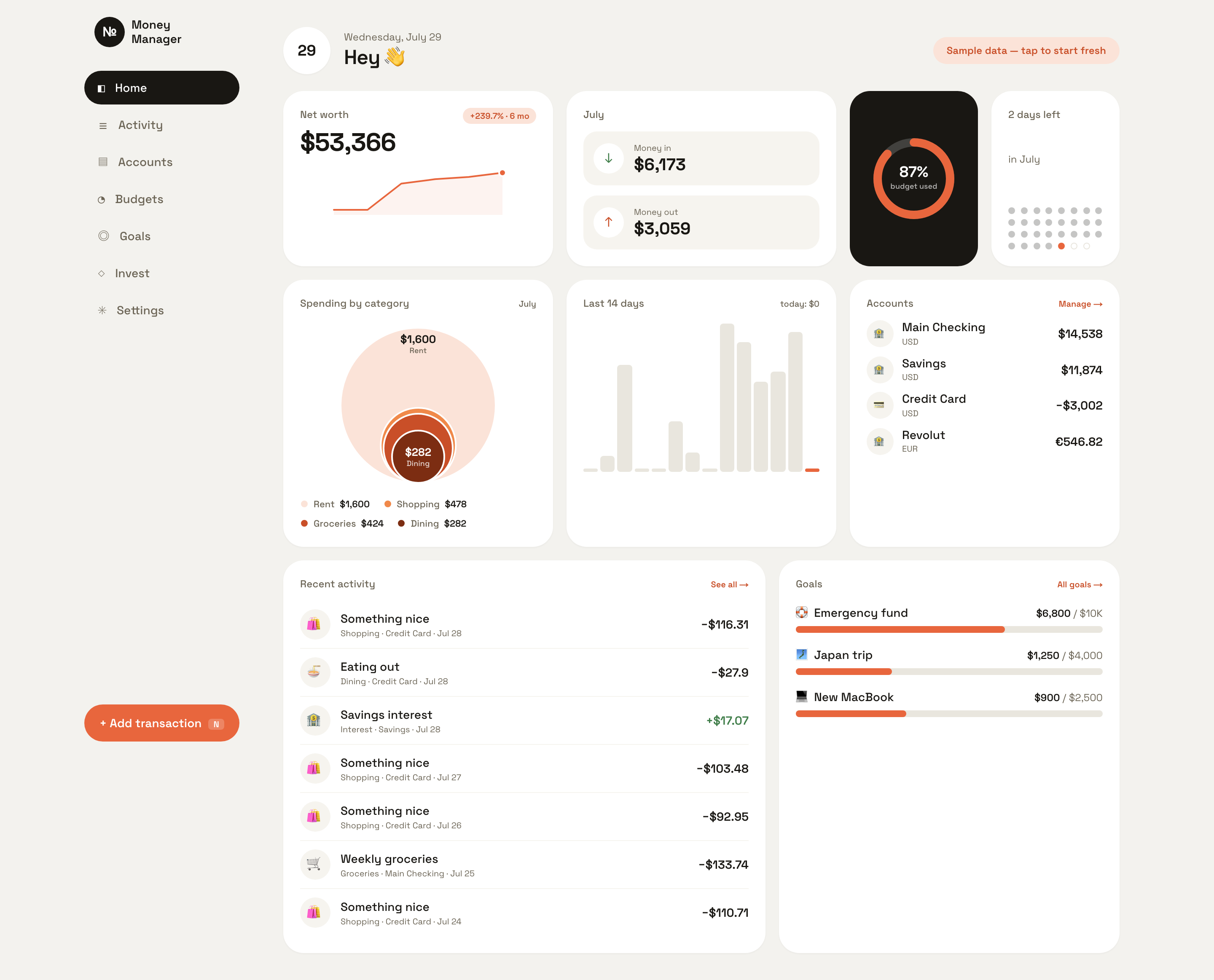
A €48.90 dinner in Lisbon goes in. Watch the currency above the amount change from USD to EUR the moment the euro account is picked — the account decides the currency, not a dropdown you can forget. Then it lands in Activity still reading €48.90, sitting next to the dollars, with the running totals still in the home currency. That is the whole difference between this and a spreadsheet.
Screen recording of the real app, driven through the real interface. Every word on screen is the app's own — there are no captions, no voice-over and nothing sped up.
A euro stays a euro
Every amount is stored in the currency it was spent in and shown that way for ever — €48.90 is still €48.90 the day you look back at it in 2031, sitting in the same list as the dollars. Only the totals convert, into the one home currency you picked. Ten currencies are built in, and each is grouped the way its own market writes numbers: an Indian reader gets ₹15,98,191.83 rather than the run of three-digit groups that reads as a different number at a glance.
Your bank's CSV, without a cleanup afternoon
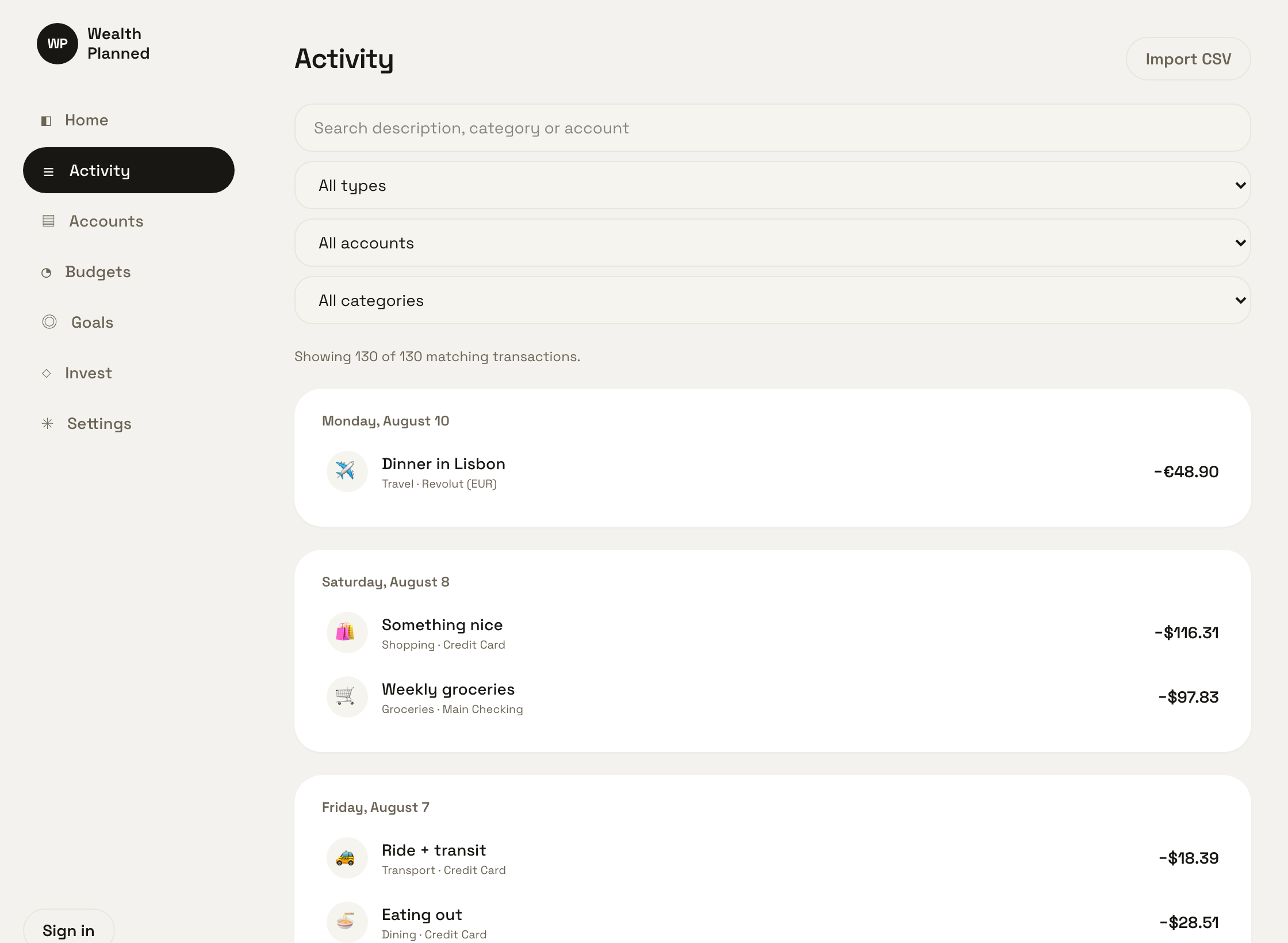
The screenshot is a real German bank export going in: semicolons instead of commas, columns called Buchungstag and Betrag, dates as 02.07.2026, and "1.204,55" meaning one thousand rather than one. It worked out the separator, the date order, the header row and the amount format on its own, and showed every parsed row before writing a single one. Import the same statement twice and the duplicates are caught instead of doubling your year — and when a file is genuinely ambiguous it says so rather than guessing, because a wrong guess about money looks exactly like success.
Three seconds, or you stop doing it
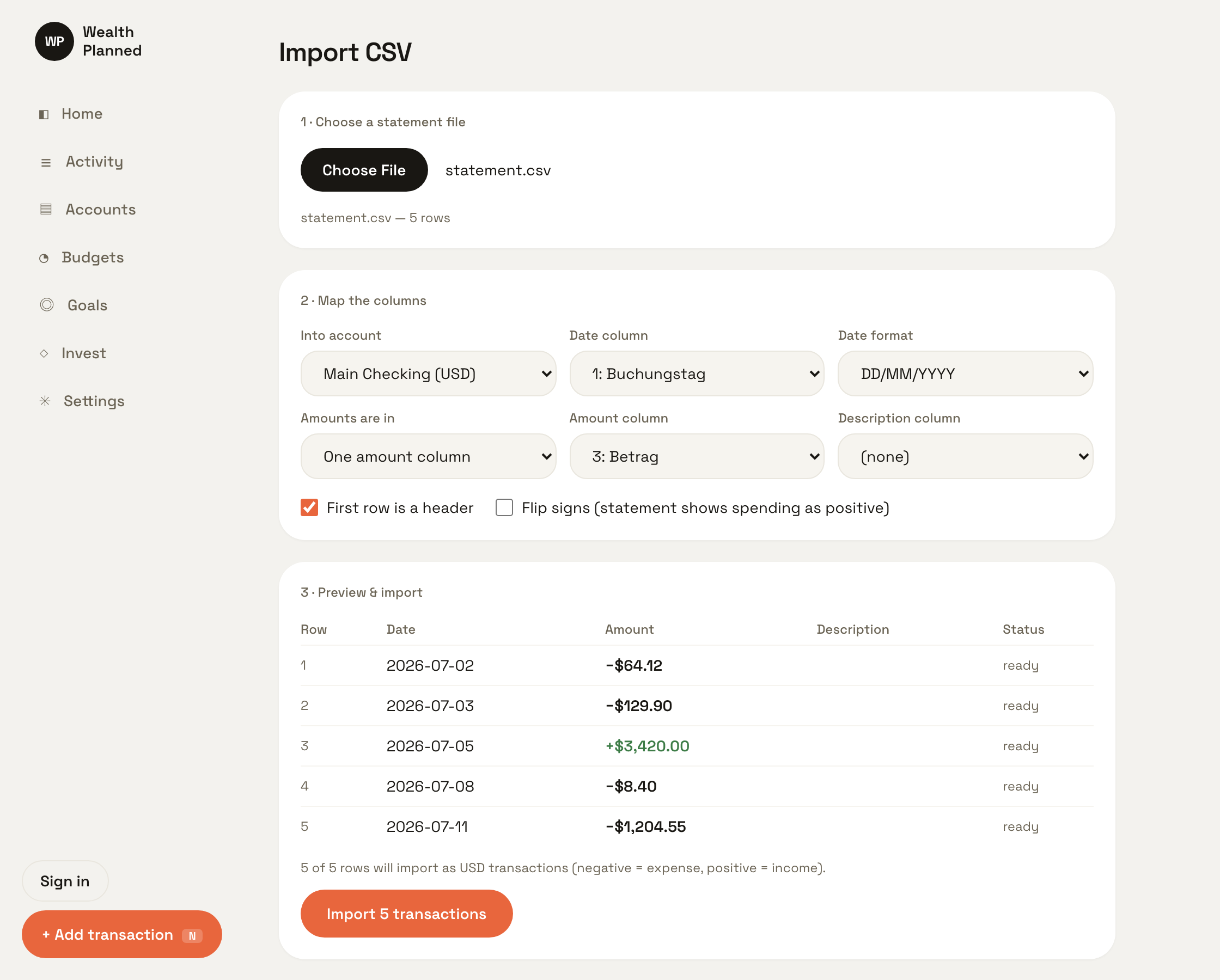
Press N anywhere, type the amount, tap a category, enter. That is the whole flow, and it is the only reason a manual ledger survives contact with a real week. Budgets fill a ring as you go, the month's spending sizes itself into bubbles, and the dashboard answers "how are we doing" in one screen instead of twelve taps.
Now use it yourself.
the actual app, right here ↓
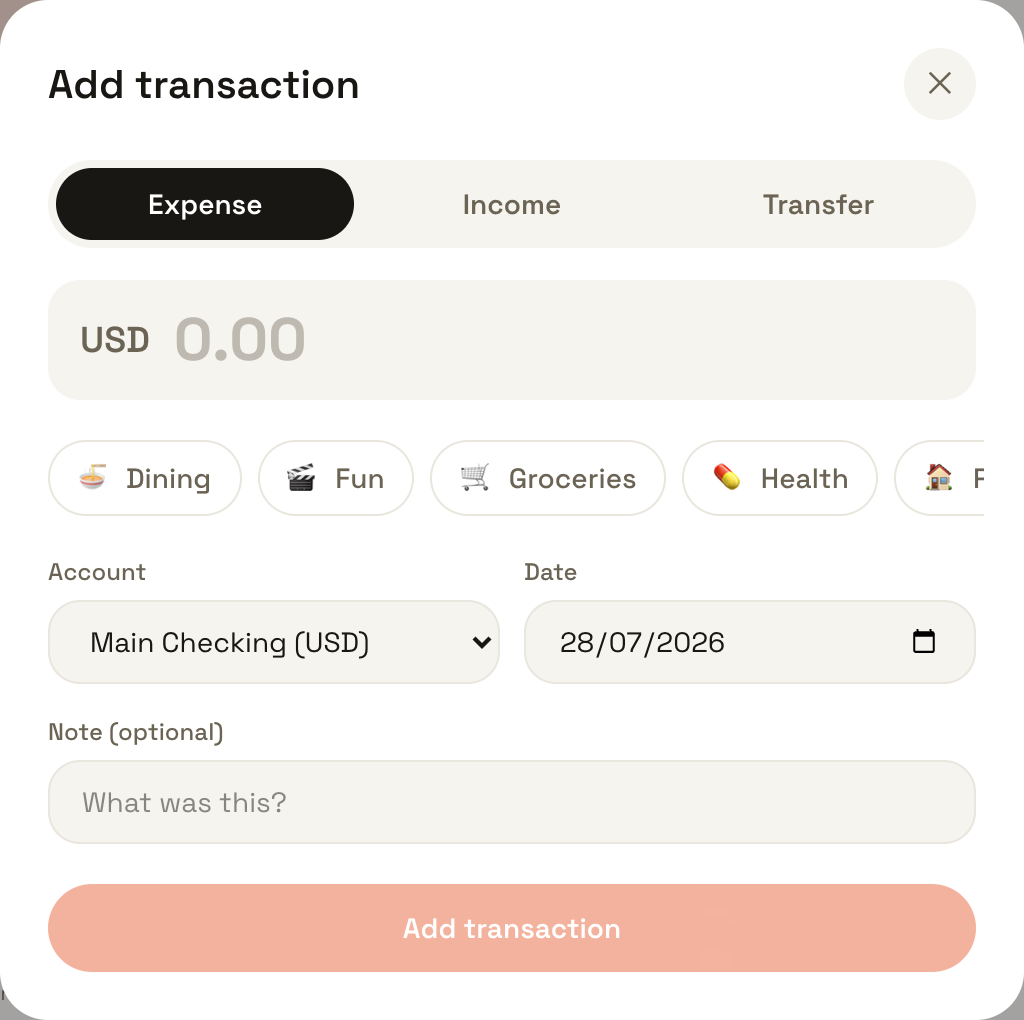
This is not a picture and not a video. It is WealthPlanned running in your browser on sample data, with an in-memory database behind it — press N and add something, change a budget, break it. Nothing you do here is saved, because this copy has nowhere to save to. There is no free trial to forget to cancel; this is the trial.
Cramped in that frame? Open the demo full-screen →
What it will not do.
You are about to spend $99 on something that has to still be right in five years. Here is the list of things it deliberately does not do, before you pay rather than after.
It cannot connect to your bank, and never will
No credentials, no aggregator, no third party reading your transactions to sell the insight. Money arrives by typing it or by importing a CSV, which is a real cost and is the point.
No live prices, no tickers
A holding is a name and a value you type in when you check your broker. That makes this a record of what you own, not a screen that moves — and it is why owning it costs you nothing a month.
The exchange rates are a fixed table
The home-currency total is converted with a rate table that ships inside the app; it does not fetch a live rate. Treat the converted total as an estimate and the original amounts as exact, because that is what they are.
One person, one ledger
There is no shared household account, no second login and no partner view. It is your ledger on your device.
Sync is off until you switch it on
Leave it off and the ledger stays in the database on this device. Switch it on and your amounts, dates, account names and notes are copied into your own account on our server as plain JSON over HTTPS — it is not end-to-end encrypted, so we could read a synced ledger if we looked.
The browser app is the whole product
It installs from your browser and runs offline from there. Browser only in this release — there is no macOS, Windows or mobile app. That is everything the $99 buys, and we would rather write it here than let you find out afterwards.
YNAB is $109 a year. This is $99, once.
You are ahead of that subscription before your first year is out, and every year after that is the whole difference. Five years of it comes to $545; five years of this comes to $99 and a working app you still own.
That arithmetic is the entire price argument and it does not need a comparison table with ticks in it. The reason we can make it is on the limits list above: no bank connections and no price feeds means a customer costs us nothing a month, so there is nothing to bill you for.
- ✓The web app, installable from your browser
- ✓Every future update, for as long as it exists
- ✓Sync across your devices, if you want it
- ✓Ten currencies and CSV import
- ✓JSON export of everything, any time, no account
Only need it for a month? Rent it for $25/week and cancel when you are done. It buys no credit toward the $99 and is worse value on purpose — five paid weeks is more than the app costs. If you stay that long, five weeks unlocks owning it for $49.50 instead.
Fair questions
›Where is my data stored?
In a SQLite database inside your browser — on your device, where it stays unless you turn on sync. If you do, your ledger is copied into your own account on our server: amounts, dates, accounts and free-text notes travel over HTTPS as plain JSON, not end-to-end encrypted, which means we could read them if we looked. Leave sync off and that never happens. Automatic uploads are capped at four a day (pressing “Sync now” yourself is on top of that), and a separate keep-alive — device id, last seen, browser, never your numbers — runs about twice an hour while the app is open and signed in.
›Does it really work offline?
Yes. Install it from your browser and every screen — dashboard, activity, budgets, goals, investments, import, settings — is cached alongside your data, so a reload on a plane opens the screen you were on, not a fallback. Log expenses at 30,000 feet; it just works. The one thing that can't work offline is sync, because that's the part that needs a server.
›Do I have to link my bank?
No — and you can't, on purpose. Manual quick-add takes three seconds, and CSV import backfills history from any bank statement. No credentials, no third-party aggregators reading your transactions.
›I have accounts in three currencies. What actually happens?
Each account carries its own currency, and a transaction is denominated by the account the money moved through — so picking the euro account is what makes it a euro expense. The amount is stored and displayed in euros for ever. Reports and net worth roll up into the single home currency you chose at setup, using the rate table that ships with the app. You can change your home currency later; the stored amounts never move.
›What does $99 actually buy?
The web app, installing it from your browser, sync across your devices, and every update we ever ship. One payment, no subscription required. A $25/week rental exists if you'd rather not own it — it buys no credit toward the $99 and is deliberately worse value.
›What if LifeTime Apps disappears?
Your data is never locked in: it exports to plain JSON at any time — including from the lock screen, with no account and no network — and the local database is standard SQLite. The honest caveat is the licence. Once we start charging, the app confirms your licence with our server and then keeps working offline for 14 days between checks, so servers that went away for good would eventually stop it from opening. Nothing is deleted when that happens, and the export still works.
›What devices are supported?
Any modern browser (install it from Chrome's address bar for the app experience). Browser only in this release — there is no macOS, Windows or mobile app. Your data follows you between browsers if you turn on sync.
the first entry is the hard one